


1
Remediate first
The report found oversharing or weak identity controls. We tighten those up through M365 Security Hardening and a SharePoint access review before any AI tool is switched on.
We're a New Zealand managed IT company that's been around since 2002. Senior to senior, ISO 27001 certified, Microsoft Partner of the Year (twice). Get to know who you'll actually be working with.
See how we help businesses like yours
Check out our Case StudiesRunning a business is tough, and it's even harder when IT problems slow you down. Pick the challenge that sounds most like you, and we'll show you how we'd fix it - in plain English.
Want to know your real IT cost?
Free IT Cost Audit
When one person knows everything, the business is fragile.

Real protection from real threats, in plain English.

IT that grows when you do, without the rebuild.

Your systems should talk. Your data should make sense.

Know what you'll pay. No surprises, no creep.

Get IT off your plate so you can run the business.

Already paying for it. Let's make it actually work.

AI without the hype. Practical steps to get started.
Day-to-day IT support, helpdesk, device management, and senior-level strategic advice - done by people who actually know your business.
Want more value from your Microsoft 365 investment?
Free MS365 Utilisation Audit
Low-cost fixed-fee support with proactive monitoring.
Full-service managed IT for businesses that need everything.
Our top-tier plan, with 24/7 support.

Backup support for businesses with internal IT.
Strategic IT guidance and quarterly planning.

Servers, networks, and endpoints kept secure.
Microsoft Partner of the Year, Nerdio Platinum Partner, and twenty years of cloud experience. Azure, Microsoft 365, and seamless migrations.
Are you getting the most out of Microsoft 365?
Free Microsoft 365 Setup Audit
Enterprise-grade cloud infrastructure.

Secure, full-powered desktops on any device.

Email, Teams, SharePoint and OneDrive setup.

AI assistance built into daily tools.

Move off old hardware onto Azure.

Modern protection from data loss.

Microsoft Teams Phone and Cloud PBX.
Practical AI advisory, not hype.
ISO 27001 certified cybersecurity for NZ businesses that don't have an in-house security team.
Worried about a potential hacking event?
Free Cybersecurity AuditTwenty years of doing this means we already understand how your industry works, the apps you depend on, and compliance.
The right expertise for your business:
Industries we support
Practice management, LexisNexis, compliance.
Accounting practice support, Microsoft 365

Specialist vertical apps, OT/IT convergence.

IT that works for tight budgets.

Distributed teams, mobile workflows.

MedTech support, patient data security.
Nerdio, strategy & overflow support.
Managed IT, cloud and data integrity
Guides, case studies, videos, and white papers - written by the same people who'll be working on your IT.
Want to stay in the know?
Visit our Insights Centre

AI Readiness Audit
Buying AI licences is easy. Knowing whether your business can safely use them is the part that gets skipped.
The AI Readiness Audit is a defined engagement that answers three questions. Where would AI genuinely save your team time? What would it be able to see if you turned it on tomorrow? And what needs fixing first?
You get a written assessment with recommendations, prioritised and costed, so the next conversation is about what to do rather than what the problem might be. If the audit shows you are in good shape, that is a useful answer too - it means you can move straight to a pilot.
What the business is trying to achieve this year, so AI is measured against something real.
The repetitive work your team actually complains about, ranked by how much time it eats.
How SharePoint and OneDrive sharing is set up, and what that permits by default.
Which sites are open to everyone, and how much of your content is out of date.
MFA, conditional access and device compliance, checked against what AI would be able to reach.
NZD excluding GST. Transparent starting price, fixed once we have agreed scope with you.
The AI Readiness Assessment is on our standard projects menu at $1,900 NZD excluding GST, quoted as a starting price and fixed once scope is agreed.
It covers your business objectives and top five inefficiencies, your SharePoint and OneDrive sharing configuration, an oversharing and aged data review, and your identity and device protections. The output is a written assessment with prioritised recommendations.
Most businesses of 20 to 150 staff complete it inside a couple of weeks, working around your team rather than taking them off the job. We need an hour or so with whoever knows how the business runs, read access to your Microsoft 365 tenant, and a short session with a few of the people whose work you are hoping to make easier.
If you decide to go ahead afterwards, the recommendations map directly onto our published project tiers, so you can see the cost of the next step before you commit to it.
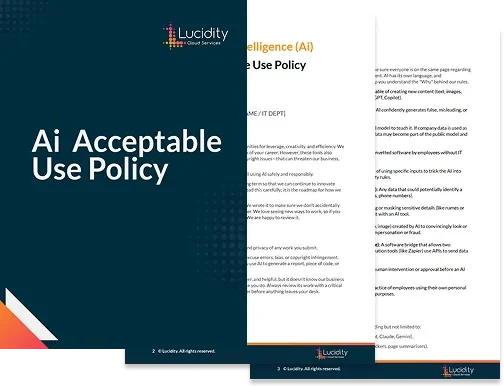
Download the AI Acceptable Use Policy to ensure your team uses AI tools safely without risking sensitive business or client information.
Ten things we look at, so the recommendations are tied to outcomes you already care about.
A short session with the people who know how the business runs and where the friction is.
We review sharing, identity, device and data settings in your Microsoft 365 tenant with read access.
We shortlist the work where AI would make a measurable difference, and name the work where it would not.
Findings and recommendations in writing, prioritised, with the remediation work mapped to menu prices.
We talk your team through it and agree what happens next. No obligation to buy the next step from us.
From $1,900 NZD excluding GST. Transparent starting price, fixed once we have agreed scope with you.
The audit is deliberately independent of what you buy afterwards. Most businesses take one of these three routes, and the report tells you which one you are looking at.
The report found oversharing or weak identity controls. We tighten those up through M365 Security Hardening and a SharePoint access review before any AI tool is switched on.
Your controls are sound enough to start. We roll out to a pilot group on the platform that fits, train them on the shortlisted use cases, and measure what changed.
Staff are already using AI on personal accounts. We move them onto a managed business workspace with admin control, and publish a policy that matches.
Transparent starting prices on our project menu, fixed once scope is agreed.
More than two decades supporting New Zealand businesses with cloud and Microsoft 365.
Microsoft Solutions Partner for Modern Work.
Platform independent advice. We work across Copilot, Claude and ChatGPT and will tell you which fits.
Net Promoter Score of +40 (May 2026) and a 4.9 Google rating from the businesses we support.

Plain-English guides from the people who will be working on your IT. Read them before you talk to anyone, including us.

Artificial intelligence is transforming how we work. But according to recent research, 34.8% of inputs into public AI tools contain sensitive data…
Read the article›
Previously, if you got someone’s details from someone else (rather than straight from them), you didn’t have to tell them. Now you do.
Read the article›
On 22 June 2026, the heads of the Five Eyes cyber security agencies - including our own National Cyber Security Centre…
Read the article›
A no obligation chat about what you are trying to do with AI and what you have already tried. We confirm what is in scope and fix the price before any work starts.
Book an AI Readiness Discovery SessionFREQUENTLY ASKED QUESTIONS
Straight answers to the questions businesses ask before they book. If yours is not here, ask us and we will add it.
It starts from $1,900 NZD excluding GST. That is a starting price on our standard projects menu and it is fixed once we have agreed the scope with you. If your environment is unusually large or complex we will say so before you commit, not after.
See the full project menu›Read access to your Microsoft 365 tenant is enough for the review. We do not need to change anything to run the assessment, and we will agree exactly what access is granted, and for how long, before we start.
No. The audit is available as a standalone piece of work, and the report is yours regardless of what you do next. Plenty of businesses use it to work out whether their current arrangements are adequate.
Then you have found that out for $1,900 rather than after a rollout. The report sets out what needs fixing, in what order, and roughly what each piece costs, so you can decide how far to go and how quickly.
Request a pricing menu›The tenant review is Microsoft 365 based, because that is where most New Zealand businesses keep their documents and identity. The findings apply whichever AI platform you choose - oversharing is a problem for Claude and ChatGPT connectors just as much as for Copilot.
For a business of 20 to 150 staff, typically a couple of weeks from kick off to the walkthrough. Most of that is scheduling. The demand on your team is an hour or two for the workshop and a short session with a few staff.
Have a question we have not answered?Ask our AI experts directly›
Tell us a little about your business and we will come back within one working day to confirm scope and fix the price. No work starts until you have agreed it.
If you are interested in IT Solutions or Managed IT Services, fill the form below and we will be in touch
If you are interested in IT Solutions or Managed IT Services, fill the form below and we will be in touch

Learn
About
Lucidity