


Microsoft 365 Copilot
The easiest place to start if you are already on Microsoft 365. Your data stays in your tenant and the governance controls are the ones you already own.
Menu priced, from $1,900Learn more›
We're a New Zealand managed IT company that's been around since 2002. Senior to senior, ISO 27001 certified, Microsoft Partner of the Year (twice). Get to know who you'll actually be working with.
See how we help businesses like yours
Check out our Case StudiesRunning a business is tough, and it's even harder when IT problems slow you down. Pick the challenge that sounds most like you, and we'll show you how we'd fix it - in plain English.
Want to know your real IT cost?
Free IT Cost Audit
When one person knows everything, the business is fragile.

Real protection from real threats, in plain English.

IT that grows when you do, without the rebuild.

Your systems should talk. Your data should make sense.

Know what you'll pay. No surprises, no creep.

Get IT off your plate so you can run the business.

Already paying for it. Let's make it actually work.

AI without the hype. Practical steps to get started.
Day-to-day IT support, helpdesk, device management, and senior-level strategic advice - done by people who actually know your business.
Want more value from your Microsoft 365 investment?
Free MS365 Utilisation Audit
Low-cost fixed-fee support with proactive monitoring.
Full-service managed IT for businesses that need everything.
Our top-tier plan, with 24/7 support.

Backup support for businesses with internal IT.
Strategic IT guidance and quarterly planning.

Servers, networks, and endpoints kept secure.
Microsoft Partner of the Year, Nerdio Platinum Partner, and twenty years of cloud experience. Azure, Microsoft 365, and seamless migrations.
Are you getting the most out of Microsoft 365?
Free Microsoft 365 Setup Audit
Enterprise-grade cloud infrastructure.

Secure, full-powered desktops on any device.

Email, Teams, SharePoint and OneDrive setup.

AI assistance built into daily tools.

Move off old hardware onto Azure.

Modern protection from data loss.

Microsoft Teams Phone and Cloud PBX.
Practical AI advisory, not hype.
ISO 27001 certified cybersecurity for NZ businesses that don't have an in-house security team.
Worried about a potential hacking event?
Free Cybersecurity AuditTwenty years of doing this means we already understand how your industry works, the apps you depend on, and compliance.
The right expertise for your business:
Industries we support
Practice management, LexisNexis, compliance.
Accounting practice support, Microsoft 365

Specialist vertical apps, OT/IT convergence.

IT that works for tight budgets.

Distributed teams, mobile workflows.

MedTech support, patient data security.
Nerdio, strategy & overflow support.
Managed IT, cloud and data integrity
Guides, case studies, videos, and white papers - written by the same people who'll be working on your IT.
Want to stay in the know?
Visit our Insights Centre

AI Readiness
Most New Zealand businesses are already using AI, whether or not anyone has approved it. Staff paste documents into free chat tools because it saves them twenty minutes, and nobody has told them not to.
The tools themselves are rarely the risk. The risk is what they can reach. An AI assistant inherits the permissions of the person using it, so a SharePoint site that has quietly been shared with everyone for four years becomes searchable the day you switch Copilot on.
Getting ready means sorting out access, retention and policy first, then choosing where AI actually earns its keep. That order costs less and it removes the two reasons these projects stall: nobody trusts the answers, and nobody is sure what is allowed.
Tighten identity, MFA and device protections so an AI tool can only be reached by the right people on the right devices.
Find the oversharing and the aged data. Most businesses are surprised by how much of their content is open to the whole organisation.
Apply sensitivity labels, retention and data loss prevention so your most confidential material stays out of AI answers.
Agree which tools are approved, who can use them, and what may never be pasted into them. Then write it down and tell people.
Roll out to a small group, train them properly, measure what changed, then widen it.
Tick what is already true for your business. Nothing is sent anywhere unless you ask us to email you the result. The score tells you which step to start with.
Secure, organise, protect, control, enable. Each step makes the next one safe to take.
MFA on every account, conditional access rules, and device compliance. If identity is weak, nothing downstream holds.
Review SharePoint and OneDrive sharing, find the sites open to everyone, and move access to security groups.
Sensitivity labels, retention policies and data loss prevention, so confidential content is excluded from AI answers by design.
An approved tool list, an AI Acceptable Use Policy, and admin settings that match the policy instead of contradicting it.
Pilot with a small group, train them on real work, measure the difference, then roll out to everyone else.
That is what the AI Readiness Audit is for.

The quickest way to find out where you stand is our AI Readiness Audit. It is a fixed piece of work that looks at your business objectives, your top five inefficiencies, your SharePoint and OneDrive sharing configuration, your oversharing and aged data, and your identity and device protections. You get a written assessment with recommendations at the end of it.
From there you can decide what to buy. For most businesses the answer is Microsoft 365 Copilot, because it sits inside tools your team already uses and your data never leaves your tenant. For others it is Claude or ChatGPT on a business plan, or a mix. We are not tied to one of them.
What we will not do is sell you seats for a tool nobody has a use for. If the audit says you are not ready, we will tell you that and what it would take to get there.
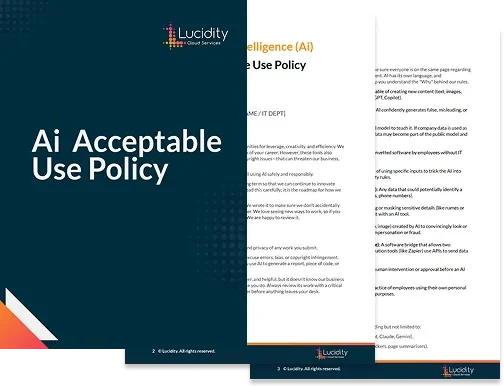
Download the AI Acceptable Use Policy. It is a short, editable template that tells your team which tools are approved and what must never be pasted into them.
We work across all three of the major business AI platforms. Each one needs setting up properly, securing, and governing - the work is similar, the admin controls are not. Start where your data already lives.
The easiest place to start if you are already on Microsoft 365. Your data stays in your tenant and the governance controls are the ones you already own.

Strong on long documents, analysis and drafting. Team and Enterprise plans add the admin, audit and retention controls a business needs.

The one your staff have probably already signed up for. Moving them onto a business workspace is usually the fastest risk reduction available.
Transparent starting prices on our project menu, fixed once scope is agreed.
More than two decades supporting New Zealand businesses with cloud and Microsoft 365.
Microsoft Solutions Partner for Modern Work.
Platform independent advice. We work across Copilot, Claude and ChatGPT and will tell you which fits.
Net Promoter Score of +40 (May 2026) and a 4.9 Google rating from the businesses we support.

Plain-English guides from the people who will be working on your IT. Read them before you talk to anyone, including us.

Artificial intelligence is transforming how we work. But according to recent research, 34.8% of inputs into public AI tools contain sensitive data…
Read the article›
On 22 June 2026, the heads of the Five Eyes cyber security agencies - including our own National Cyber Security Centre…
Read the article›
Previously, if you got someone’s details from someone else (rather than straight from them), you didn’t have to tell them. Now you do.
Read the article›
That is what the audit is for. Book a consultation and we will talk through where you are now, what your team is already doing, and whether an audit is the right next step.
Book an AI Readiness Discovery SessionFREQUENTLY ASKED QUESTIONS
Straight answers to the questions businesses ask us before they start. If yours is not here, ask us and we will add it.
It means your identity, access and data controls are in good enough shape that turning on an AI assistant does not expose something it should not. Practically, that is MFA everywhere, sharing tightened up in SharePoint and OneDrive, sensitivity labels and retention applied to confidential content, and a written policy your team has seen. Readiness is mostly work you should be doing anyway.
See how we get a business AI ready›It is common and it is worth addressing. On personal accounts you have no visibility of what has been shared, no admin controls, and no way to remove access when someone leaves. The usual fix is not a ban - bans push it further underground. It is to approve a business plan, move people onto it, and publish a policy that says what is and is not allowed.
Download the AI Acceptable Use Policy›No. You need to fix the things that create exposure - oversharing, weak identity and unlabelled confidential content. The rest can run alongside a pilot. The audit tells you which is which, so you are not holding up a rollout for work that does not change your risk.
See what the audit covers›For a business of 20 to 150 staff, the audit is a short engagement and the remediation that follows is typically a few weeks of work depending on how much sharing needs untangling. Businesses with a long history of open SharePoint sites take longer, because someone has to decide who should actually have access.
Request a pricing menu›On the business and enterprise plans of the major platforms, business content is not used to train the underlying models. On free and personal plans the terms differ. That gap is one of the main reasons to move staff off personal accounts, and it is a question worth asking of any AI tool before you approve it.
It depends on the platform and the plan, and it is a fair question to ask before you commit - particularly if you handle client data with residency obligations. We check this as part of the audit and give you a straight answer for the tools you are considering, rather than a general reassurance.
Have a question we have not answered?Ask our AI experts directly›
Tell us a little about your business and we will come back within one working day with two or three times that suit. The session is free, online, and you will talk to a senior consultant, not a salesperson.
If you are interested in IT Solutions or Managed IT Services, fill the form below and we will be in touch
If you are interested in IT Solutions or Managed IT Services, fill the form below and we will be in touch

Learn
About
Lucidity