


Readiness Assessment
From $1,900
- Business objectives and top five inefficiencies
- SharePoint and OneDrive sharing configuration
- Oversharing and aged data review
- Identity and device protections
- Written assessment with recommendations
We're a New Zealand managed IT company that's been around since 2002. Senior to senior, ISO 27001 certified, Microsoft Partner of the Year (twice). Get to know who you'll actually be working with.
See how we help businesses like yours
Check out our Case StudiesRunning a business is tough, and it's even harder when IT problems slow you down. Pick the challenge that sounds most like you, and we'll show you how we'd fix it - in plain English.
Want to know your real IT cost?
Free IT Cost Audit
When one person knows everything, the business is fragile.

Real protection from real threats, in plain English.

IT that grows when you do, without the rebuild.

Your systems should talk. Your data should make sense.

Know what you'll pay. No surprises, no creep.

Get IT off your plate so you can run the business.

Already paying for it. Let's make it actually work.

AI without the hype. Practical steps to get started.
Day-to-day IT support, helpdesk, device management, and senior-level strategic advice - done by people who actually know your business.
Want more value from your Microsoft 365 investment?
Free MS365 Utilisation Audit
Low-cost fixed-fee support with proactive monitoring.
Full-service managed IT for businesses that need everything.
Our top-tier plan, with 24/7 support.

Backup support for businesses with internal IT.
Strategic IT guidance and quarterly planning.

Servers, networks, and endpoints kept secure.
Microsoft Partner of the Year, Nerdio Platinum Partner, and twenty years of cloud experience. Azure, Microsoft 365, and seamless migrations.
Are you getting the most out of Microsoft 365?
Free Microsoft 365 Setup Audit
Enterprise-grade cloud infrastructure.

Secure, full-powered desktops on any device.

Email, Teams, SharePoint and OneDrive setup.

AI assistance built into daily tools.

Move off old hardware onto Azure.

Modern protection from data loss.

Microsoft Teams Phone and Cloud PBX.
Practical AI advisory, not hype.
ISO 27001 certified cybersecurity for NZ businesses that don't have an in-house security team.
Worried about a potential hacking event?
Free Cybersecurity AuditTwenty years of doing this means we already understand how your industry works, the apps you depend on, and compliance.
The right expertise for your business:
Industries we support
Practice management, LexisNexis, compliance.
Accounting practice support, Microsoft 365

Specialist vertical apps, OT/IT convergence.

IT that works for tight budgets.

Distributed teams, mobile workflows.

MedTech support, patient data security.
Nerdio, strategy & overflow support.
Managed IT, cloud and data integrity
Guides, case studies, videos, and white papers - written by the same people who'll be working on your IT.
Want to stay in the know?
Visit our Insights Centre

Microsoft 365 Copilot
Microsoft 365 Copilot is the easiest place for most New Zealand businesses to start with AI. It sits inside Outlook, Word, Excel and Teams, your content stays inside your tenant, and the controls you need are ones you already own.
The catch is that Copilot can reach everything the person using it can reach. Years of “just share it with everyone so they can find it” suddenly becomes a search engine over your own business. The salary review spreadsheet in a site nobody remembered was open is the example everyone recognises.
Our Copilot work is built around that. Assess first, fix the sharing and identity problems, apply labels and data loss prevention so confidential content is excluded by design, then roll out and train people properly.
We work out which Microsoft licences you need for the Copilot features you actually want, before you buy them.
SharePoint and OneDrive access moved to security groups, with Restricted SharePoint Search where it is needed.
Exclude-from-Copilot labels applied to the content that should never appear in an AI answer.
DLP policies that stop Copilot summarising material it should not be summarising.
Training on the work your team actually does, plus agents and automations where they earn their keep.

There are two things people mean by Copilot, and the difference matters when you are budgeting.
Copilot Chat is the general assistant your staff can reach through Microsoft 365. It is a sensible first step: it gives people a governed place to do the work they would otherwise take to a free consumer tool, and it needs far less groundwork.
Microsoft 365 Copilot is the licensed version that works across your own content - your SharePoint documents, your email, your Teams meetings. That is where the real productivity gain sits, and it is also the version that makes your permissions problem visible. It should not be switched on until the sharing review is done.
Most businesses do both, in that order. We will tell you which one your business is ready for, and we will not sell you the second until the first is working.
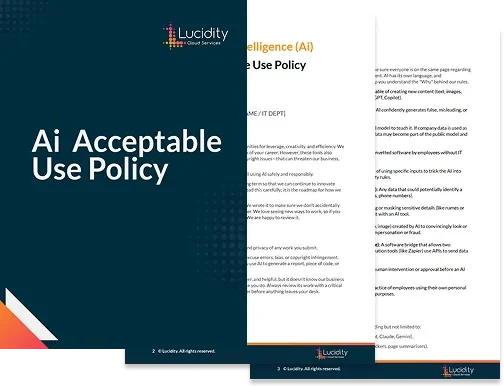
Download the AI Acceptable Use Policy to ensure your team uses AI tools safely without risking sensitive business or client information.
Configured, documented and handed over, so the controls are enforced by the platform rather than by policy alone.
Identity first. MFA, conditional access, legacy authentication blocked and admin roles reduced.
Find the oversharing, restructure site access, and decide who should actually be able to see what.
Sensitivity labels, retention and DLP, so exclusions are enforced by the platform rather than by policy alone.
Restricted SharePoint Search, SharePoint Advanced Management and DSPM for AI, plus a policy your team has read.
Roll out, train on real tasks, build the agents worth building, and review what changed.
Start with the Readiness Assessment. It is the first tier on the menu below.

Tell us how many people, what you already license and what you want Copilot to do. We will price the licences and the project together so you can see the full first-year number before you decide.
Get my fixed priceTransparent starting prices with line by line inclusions, fixed once scope is agreed.
Microsoft Solutions Partner for Modern Work.
Lucidity Security Baselines applied consistently across Intune, SharePoint, OneDrive and Exchange Online.
More than two decades supporting New Zealand businesses on Microsoft cloud technology.
Net Promoter Score of +40 (May 2026) and a 4.9 Google rating.

Plain-English guides from the people who will be working on your IT. Read them before you talk to anyone, including us.
A personal review of the new Microsoft 365 Copilot AI assistant by Lucidity Technology Alignment Manager, Adam Saberton.
Read the article›
What are some of the key differentiators that can propel small businesses forward? They include efficiency, productivity, and innovation…
Read the article›
It can be challenging to keep up with the ever-evolving cyber threat landscape…
Read the article›
Copilot Chat or Microsoft 365 Copilot, Lite or Advanced. We will tell you which one your business is ready for, and we will not sell you the second until the first is working.
Book an AI Readiness Discovery SessionFREQUENTLY ASKED QUESTIONS
Straight answers to the questions businesses ask before they switch Copilot on. If yours is not here, ask us and we will add it.
Copilot respects Microsoft 365 permissions - it cannot show a user anything they could not already open. The problem is that in most businesses people can already open far more than anyone intended. Copilot does not create the exposure, it makes it easy to find. That is why the sharing review comes before the rollout.
Book the Readiness Assessment›Microsoft’s commitment for Microsoft 365 Copilot is that your organisational data stays within your tenant’s compliance boundary and is not used to train the underlying models. It is worth reading Microsoft’s current terms for yourself, and we will walk you through them as part of the engagement rather than asking you to take our word for it.
Microsoft licence costs sit alongside the project cost and depend on which Copilot you are licensing and what you already hold. We will price the licences and the project together so you can see the full first-year number before you decide.
Request a pricing menu›Not everyone does. Advanced is aimed at businesses with confidential material that must be excluded from AI answers - legal files, health records, payroll, client data under contractual restrictions. If that describes you, the labels and DLP are the point of the exercise. If it does not, Standard is usually enough.
An agent is a Copilot configured for one specific job with its own instructions and its own approved sources - answering questions from your policy library, drafting a standard type of response, or checking a document against a checklist. They are quick to build and easy to get wrong, so we scope them against a real task rather than building them because they are available.
Have a question we have not answered?Ask our AI experts directly›
Tell us how many people you have, what Microsoft licences you already hold and what you want Copilot to do. We will come back within one working day to agree scope and a fixed price.

If you are interested in IT Solutions or Managed IT Services, fill the form below and we will be in touch
If you are interested in IT Solutions or Managed IT Services, fill the form below and we will be in touch

Learn
About
Lucidity